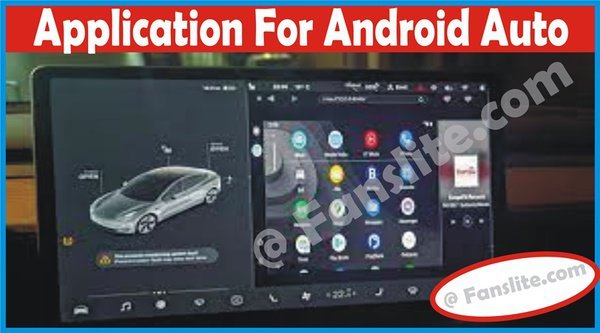
Android Applications – Application for Android Auto – New Android App for Drivers
Currently supported apps include Google Maps and Waze, popular music players such as Google Play Music, YouTube Music, Amazon Music, Apple Music and Spotify; and messaging apps, including WhatsApp, Facebook Messenger, Google Hangouts, Skype and Telegram.
Most often people travel to new places for many different reasons. It could be because of work, vacation, or something else. But the important thing is for them to get to their destination without getting lost on the way. And because of that, there are many locations finding apps out there that help to ease that trouble. Android Auto is one such app that can help you out.
Android Auto is a mobile app developed for Android phone users by Google. The app is basically designed to help road users navigate through the roads and route when making journeys.
With the Android Auto app, you can connect your phone to your car display and your android apps show on the screen. Once connected you can tap to get directions on routes and road, send text, make calls, and have fun once on the road. The app makes you be able to focus on the road while also having fun all along the way. There are lots of features of the Android Auto app as it is compatible with most of your favorite apps.
If you have a compatible messaging app, you can automatically generate the auto-reply for incoming texts.
Google has maintained a default message that states “I’m driving right now” automatically to be sent when you receive a text message.
Note that the text is not automatically sent, it requires you to tap the send button to reply to the text. After sending the message, the messaging app will automatically toggle to “mute” status to avoid further interruption. You have to tap again to allow auto-suggestion.
Here are some of the features of the new android auto.
With the navigation feature, you can go from where you are current to wherever. Get update alert from Google Maps to find better routes to your destination. With the Google Map, you can look for nearby gas stations and shops for any stop by. All these can be seen on your car’s dashboard screen.
Like is said above, the Android Auto app is compatible with most of your favorite apps. So, you can get some entertainment along the road listening to your favorite playlist and album. You can control this song by pausing and playing them with just your voice.
See Also: Asiancrush App – Download Asian Crush TV App – Stream AsianCrush Movies
Android Auto app has built-in Google’s own voice assistant. With Google Assistant you can do more with your voice and less with hands. Just pay attention to the road and use your voice for all the help you need. To activate Google Assistant just say “Hey Google” and it will respond to all your needs.
With the communication feature, you can communicate and keep in touch with your friends and loved once. Chat them om massaging apps and make voice calls also. You can allow Google Assistant to read out your messages out loud and help you write back by talking to it.
There you have it. With these features listed above, Android Auto promises to be just the app you need on the road. They will make your journey more fun and sweeter.
There is no doubt that the Android Auto App is there for all to make use of. But for you to make use you first have to meet the Requirements to Make Use of The Android Auto App. And you have to make sure the app compatible with your location then you are good to go. Below is a list of the requirements needed.
Those listed above are what is required for you to make use of the app. Once all is done then you are good to go.
The Availability of the Android Auto App also means where you can be able to use the App. Below is a complete list of the various location as of June 2020.
These are some of the countries where android auto is available.
If you are looking for a way to connect the Android Auto app to your car then look no further. Below are the simple steps to follow.
That is how you connect your Android Auto app to your car and start to make use of the app.
You can also use your phone as a screen to make use of the Android Auto app.
To access these applications, swipe to the right or tap the menu button and choose the option that suggests applications for Android Auto.
We appreciate your time on fanslite.com, especially on this article on Android Applications – Application for Android Auto – New Android App for Drivers. We recommend other related post for you on the same site.
Friedrich Stiftung Scholarships 2024 - Pursue your studies in Germany. Good news! Applications for the…
NL Scholarship 2024 - Start your study adventure in the Netherlands. Good news! NL Scholarship…
Shiraz University of Medical Sciences Scholarship 2024 - Pursue your studies in Iran. Good news!…
Edith Cowan University Scholarship 2024 - There is an opportunity for you to pursue your…
Southern Cross University Scholarships 2024 - Pursue your studies Australia. Good news! Southern Cross University…
Bond University Undergraduate Scholarship 2024 - Start your study adventure in Australia. Good news! Bond…
