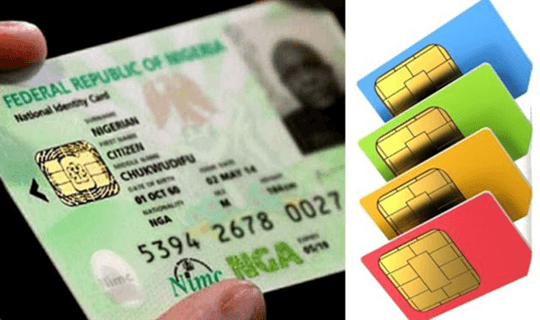
While the NIN registration is still ongoing! This explains to you how to link your NIN with your Phone Number on MTN, Airtel and Glo Network. Please note that you will be needing your National Identity Number (NIN). Simply check your NIN Slip to get the number or learn how to apply and check it right away before you continue with the sim card linking to NIN.
Aside the NIN, all network providers will also be requesting your full name, phone number and email address (for online platforms).
Several channels have been provided by the network providers to link your NIN with your SIM(s), and that includes;
The Nigerian Communications Commission (NCC) earlier this week, instructed telecommunications companies to block all unregistered SIM cards in the country in two weeks.
You can check your NIN Slip, it has your 11 Digit Number at the top left corner, on the second row. You can also use this page to learn how to check fast.
You can complete this exercise from various channels; MyMTN mobile app, Website, and the USSD code.
See the guides below;
Dialing *785# free of charge and following the prompts to complete the link. You should get a successful screen display and SMS at the end of the process.
Done!
Airtel provided a USSD code method and to link via website. To link your NIN to your Airtel phone number, follow any of the methods below:
Please note, just in case you get an error, try again, until successful.
You can use the online method to link for your family, friends, and your phone numbers to NIN online.
For instance, if your friends and family who are not enlightened about the NIN linking to phone number exercise – you can do that on their behave by following the steps below;
Done!
Glo also provided an SMS and website method of linking your NIN to your phone number. So you can use any of the methods to ensure linking your SIM before it gets blocked.
For this, you will be needing the following information that you will be sent to 109;
So see the steps below;
UPDATENIN NIN number firstname lastname
Send the information to 109
For example:
Updatenin 12345678903 Serah Latiff
3. Then send the information to 109 as already mentioned.
Please note that you are to send the SMS with that same phone number you wish to link and that automatically links it.
And that’s it on how you can link your National Identification Number with your MTN line, GLO line and Airtel. Have you linked you NIN already, do let us know the experience in the comment section below.
Friedrich Stiftung Scholarships 2024 - Pursue your studies in Germany. Good news! Applications for the…
NL Scholarship 2024 - Start your study adventure in the Netherlands. Good news! NL Scholarship…
Shiraz University of Medical Sciences Scholarship 2024 - Pursue your studies in Iran. Good news!…
Edith Cowan University Scholarship 2024 - There is an opportunity for you to pursue your…
Southern Cross University Scholarships 2024 - Pursue your studies Australia. Good news! Southern Cross University…
Bond University Undergraduate Scholarship 2024 - Start your study adventure in Australia. Good news! Bond…
