How to Setup iCloud on iPhone
iCloud is a cloud storage and cloud computing service from Apple Inc. launched on October 12, 2011. As of 2018, the service had an estimated 850 million users, up from 782 million users in 2016.
iCloud is a storage software found in every Apple device and only iPhone users with an Apple ID can access this iCloud. iCloud is the best for storage because it deviates your device from difficulties and easy deterioration usually common in devices with no enough storage due to lots of electronic files. Some iPhone users don’t have the insight of iCloud so you will see how to set up iCloud on iPhone.
Hello!! iCloud doesn’t save only files on your iPhone but also save mails for its owner. Its the most private software with an exclusive amount for storage. Do you know that iCloud has enough storage of up to 5GB for just one iPhone? It is enough for you to save mails and other vital info that doesn’t need easy exposure. Yes it’s not unlocked easily because you keep your stuffs secured with an Apple ID
You don’t have an Apple ID? Every iPhone user has an Apple ID for accessing Apple products and software. You can create one with your iTune Store. Make it non-compromised so that it can’t be easily tampered with. But without much ado, we wish to show you how to setup iCloud on iPhone with an iPhone. Are you ready?
Also See: How to Download WhatsApp on iPhone | See Full Guide
Setting up an iCloud on iPhone or iMac is literally simple and can be established with a layman’s understanding. This iCloud doesn’t need to be downloaded again because its a product of Apple and all Apple Devices has it as an in-built app.
All you need is to activate it with an Apple ID with this Setup procedures. However, its located in every iPhone Settings and once turned on, can be logged in to control all qualities of storage
Many has heard the advantages of activating an iCloud. Above all, iCloud needs your Apple ID for sign up and login. That is to say, it needs the Apple ID for accessing it. So, to activate it on your iPhone;
on iMac
You can even turn on iCloud mail from there. It comes after locating your iCloud.
Read Also: Lovoo App for Android | PC | iPhone
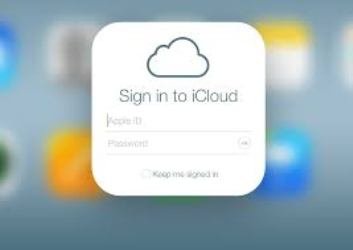
iCloud isn’t signed up because its already part of your device. Its activation is relatively its sign up. The only process needed to be inculcated is the login process. So, have you ever tried to login an iCloud account before? Follow the below process to login iCloud and access your saved:
Once again, welcome to iCloud for iOS devices if you just met us here. We recommend this software for all iPhone users because its the most reliable and secured for saving essential documents and media files. Login icloud account when:
The above mentioned procedure is for Laptops or Desktops but when your iPhone is involved, just launch your iCloud app from your menu and login with your Apple ID. That’s all.
Its simple right? Are you still unable to locate or login iCloud on your device? Tell us your recent experience with your iCloud using the comment box below.
Friedrich Stiftung Scholarships 2024 - Pursue your studies in Germany. Good news! Applications for the…
NL Scholarship 2024 - Start your study adventure in the Netherlands. Good news! NL Scholarship…
Shiraz University of Medical Sciences Scholarship 2024 - Pursue your studies in Iran. Good news!…
Edith Cowan University Scholarship 2024 - There is an opportunity for you to pursue your…
Southern Cross University Scholarships 2024 - Pursue your studies Australia. Good news! Southern Cross University…
Bond University Undergraduate Scholarship 2024 - Start your study adventure in Australia. Good news! Bond…
