Guides On How To Create A Gmail Account – In this article i am going to show you easy way of creating Gmail account.
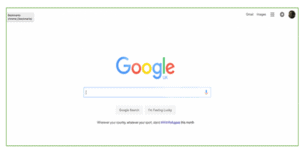
1. Go to Google
Open up your internet browser and go to the Google home page: www.google.com.ng and then click on Gmail at the top right corner of the page
2. Create an account
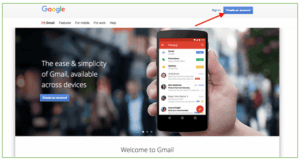
You will now see yourself in the Sign in section. As you don’t have a Google account yet, you need to create one. Click on Create an account.
3. Set up your account
To set up your new account, Google will demand for some of your information – Like, your First and Last name(Username), Password, Birthday, Gender, Mobile phone, your Email address etc. You have to choose a unique email address that you wish to use, which will be placed before @gmail.com. In that it needs to be unique, Google may have to check the availability of any name that you decide on to make sure that no one already has the same name. Put in an email name into the “choose your username” box and then provide the rest of your information.
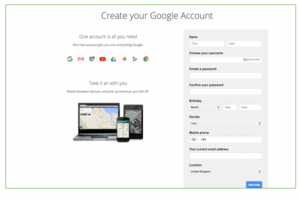
If the email name that you requested in is not available, you will get a message telling you that someone already has that username and offering you some alternatives. You can accept one of the alternatives or type in another name and check it’s availability once again. You will have to complete some of the other boxes again. You may have to repeat this a few times. Once you finalise your email address, it’s advisable you document it somewhere so that u glance at it anytime u need it until you remember it.
You will need a password so that you can log in securely to your account. Google may explain that you should try one with at least 8 characters long to be secure. Mix up letters and numbers to make the password more secure and difficult to guess. You can add an existing email address to keep your new email secure also.
4. Verification
To get to the next steps, then you will need to Accept Google’s privacy and terms first, after going through it click on I Agree.
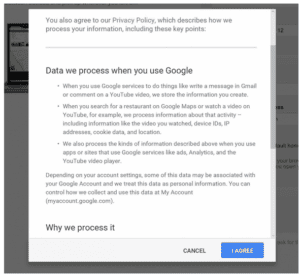
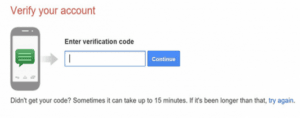
Google will now ask you to verify your account via text or voice call, select the option that you want and click on Continue.
See Also: How To Open Yahoo Mail Account – Steps On How To Create Yahoo Mail Account.
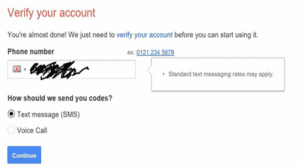
If you chose the text message option you will see a new window where you will have to enter the code that Google has sent to your mobile number. Select Continue and congratulations you have created your Gmail account.