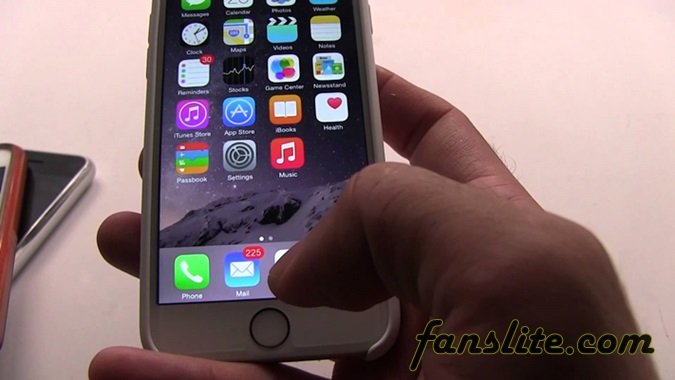
Have you experienced the incidence of frozen iPhone before, that moment when your iPhone freezes? Either while operating the iPhone or when turning it on.
Depending on when and how the lockup occurs, there are different ways to troubleshoot the freezing. Such freezing which occurs during operation is usually temporary. And it is normally fixed by restarting the iPhone.
If it is freezing that occurs when booting the iPhone, you can simply restore the phone in order to repair the bootloader, although all data on the phone will be erased. If after restoring the phone, the freezing continues, then you may have to take the iPhone to an Apple store for servicing.
Meanwhile, if you discover that it is an application that is constantly freezing, then stop using the app and maybe reach the developer of such app to lay a complaint.
People Also >> Download Facebook App For iPhone.
Let us look below on some tips to apply when you face the situation of frozen iPhone i.e when your iPhone freezes.
Here are few tips which will help you when your iPhone device is frozen;
1. If you are using an app and the iPhone froze, simply kill the app. It could be that it developed bugs and this can affect the working of the iPhone.
Hold down the “Sleep/Wake” button until the Phone shutdown screen displays, then hold the “Home” button to force stop or quit the app. When this works, you will return to home screen.
You can also do this by double pressing the “Home” button, holding your finger over the unresponsive app’s icon until the app starts shaking, then then press the “Remove” icon to shut it down.
2. When you cannot force quit an unresponsive app, simply turn off the iPhone. You do this by holding the “Sleep/Wake” button until the restart screen comes up. Then move the power slide to turn the phone off.
Once it has been turned off or shut down, turn it on again. You do this by holding the “Sleep/Wake” button until the Apple logo shows, which simply indicates that the iPhone is starting or booting up.
3. If the phone does not respond when you hold down the “Sleep/Wake” button, just reset the iPhone. Press and hold the “Sleep/Wake” button and “Home” button together at once (Keep holding them together like that until the Apple logo displays)
Recommended Post – How To Create New Facebook Account Using iPhone.
4. When the battery power is very low, it could result to such errors as freezing. In this case, connect your iPhone to charger and charge the phone fully.
If the battery is totally drained, it may take minutes for the iPhone screen to activate and show the charging symbol. So do not worry when the screen does not come up quickly when you connect the charger initially.
The guide below will help you with your frozen iPhone, especially when the iPhone freezes on Apple Logo during boot.
1. Connect your non-responsive iPhone to your computer using a USB cable.
2. Install the latest version of iTune on your computer system, if you don’t have it already installed. Then launch the iTune. If the iPhone is stuck at the bootloader, iTunes will not recognize it as a connected device.
3. Put the iPhone in Device Firmware Update (DFU) mode. This allows iTunes to communicate with the phone even when the operating system is not working.
Hold the “Sleep/Wake” button for three second, then continue holding it down and then press the “Home” button for another 10 seconds.
Release the “Sleep/Wake” button while you continue to press the “Home” button for an additional 15 seconds. When you have done this properly, iTune will tell you that the phone is in recovery mode.
Also Recommended – How Create & Join Hitwe Dating Site.
4. Select the iPhone in iTunes, open the “Summary” tab and choose the “Restore iPhone” option.
5. Wait until you see the “Slide to Setup” screen on your iPhone. Then slide the bar and follow the instructions to finish setting up your iPhone.
This tip should help you correct and fix your frozen iPhone. Hope you find it helpful? Please let us know your opinion on this, using the comment box below.
Friedrich Stiftung Scholarships 2024 - Pursue your studies in Germany. Good news! Applications for the…
NL Scholarship 2024 - Start your study adventure in the Netherlands. Good news! NL Scholarship…
Shiraz University of Medical Sciences Scholarship 2024 - Pursue your studies in Iran. Good news!…
Edith Cowan University Scholarship 2024 - There is an opportunity for you to pursue your…
Southern Cross University Scholarships 2024 - Pursue your studies Australia. Good news! Southern Cross University…
Bond University Undergraduate Scholarship 2024 - Start your study adventure in Australia. Good news! Bond…
