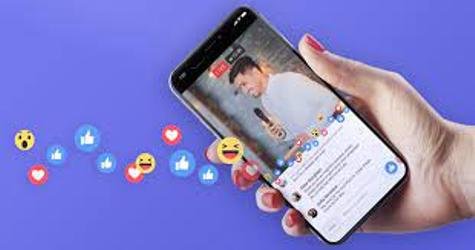
Facebook Live – How to Use Facebook Live
Facebook Live: This is a complete article on Facebook Live Streaming… Do you want to stream live on facebook? Continue reading because this guide was prepared for you…
Facebook live streaming is the process of showing live the video you are making The live video publishing too permits you to use your existing video hardware or software to create a professional unique live video content for viewers.
Just as news broadcast, you can showcase what you are doing right now on Facebook, also you can broadcast videos using simple smartphone device.
If you are making a video and you want it to appear live on Facebook, you will just have to turn it on, if you are streaming gameplay, you have the ability to make it appear live on Facebook, as long as you have a good network coverage from your end. So you should ensure that online Facebook live video streaming tool is connected to network.
Have you seen some churches, companies, appearing live on Facebook, this is called Facebook live broadcast. This is cool and simple, you can as well showcase your birthday party, wedding party or your promotion party live on Facebook, this is very easy to do and its’ free, so let’s reveal to you how this can be.
Step One
The first thing you will want to do now is to create Facebook page, remember its’ from this page you can be able to publish your video, so create a page on Facebook now.
Step two
A page has been created, now move to your publishing tool you can find this on your page. Under video, click on video library and click the +Live to begin configuring your live post
Step three
You will click on connect to begin the connection of your encoding hardware or software. Also, go to post and choose where you would like to publish your live broadcast. However, you may choose to post it on your timeline in an event, a group or in the page you manage.
Now, you video is set to appear live, however, there are a few spicy you can add to your view.
Step four
Check the server URL and stream key with your encoding hardware or software, also enable a secure connection to enhance your viewing, however, this is if your encoding software supports RTMPS.
How to do Instruction
Step Five
Copy and paste the server URL and also do the same on the key to your encoding software.
Step six
Click on go live instantly so as to begin a live post. But mind you, once you are live, you will see the red indicator that will appear on the video payer. Moreover, once your live bradcast has finished, your recoding will be published to your page, click if you would like an HTML Code to embed the video into a website.
Smartphones users can connect their videos live on Facebook, this is very easy and free to do. Moreover, it can only be smartphones like iPhone, iPad, Android and others. Plus that, it must be mobile phones has 2G, 3G, 4G or 5generation network.
Join million of people – churches organization industries etc. on Facebook 2020 to showcase your talents, products etc. Have you gat some things you will like to showcase live, go now to www.facebook.com to begin.
Logon to www.facebook.com or to facebook.manager.com to create a Facebook page to begin. Manage your broadcast from your end and choose friends who can view your video, You can also re-use such videos multiple times for free.
Friedrich Stiftung Scholarships 2024 - Pursue your studies in Germany. Good news! Applications for the…
NL Scholarship 2024 - Start your study adventure in the Netherlands. Good news! NL Scholarship…
Shiraz University of Medical Sciences Scholarship 2024 - Pursue your studies in Iran. Good news!…
Edith Cowan University Scholarship 2024 - There is an opportunity for you to pursue your…
Southern Cross University Scholarships 2024 - Pursue your studies Australia. Good news! Southern Cross University…
Bond University Undergraduate Scholarship 2024 - Start your study adventure in Australia. Good news! Bond…
