How to Delete Facebook Account Permanently with Mobile Phone and PC – Full Guide
From recent times, deleting Facebook permanently or deactivating Facebook has been something very easy, but before now, it used to be a very tedious task, during that time one will have to wait for Facebook to respond to their request to Delete Account or Deactivate Account before they can be allowed to commence with the rest of the steps. It has become easy to Delete Facebook temporary or permanently.
On this page, we want to show you how to delete Facebook account and we are going to be doing that using Facebook account delete steps. This will help you learn how to do that smoothly. However, if you are encountering a challenge with Facebook and you feel you want to delete your account because of that; you can speak with the Facebook customer representative online to help you resolve any issues. Deleting account is not the best way to resolve any Facebook issues.
Someone said the account is hacked and therefore she wants to delete it; now you are dong yourself more harm than good by deleting your account in times like this, you already know that it takes Facebook minimum 1 (one) month to delete your account after you filled a form to delete account.
During this time, you are not expected to sign into your account, however, this period is long enough for anyone who want to harm your account to do that.
But for those who are desiring to hide their identity or wants to keep their security tight, then is not a bad idea to want to terminate your account.
This is a temporal way of shutting down Facebook, this method keeps you away from Facebook until you undo the process, but here are the things that happens when you deactivate your Facebook account:
How to Delete My Palmpay Account
How to Delete eHarmony Account
These are the things that happen when you deactivator your Facebook account, more to this, your account will not face chances of being hacked, since its temporary down.
Account termination is what becomes the end result of any Facebook account that follows this type. This is the permanent way of destroying Facebook account permanently, here are the things that happens.
These are the things that happens when you choose the second option, so now, before we proceed with the steps in deleting your account, we will ask that you think through this well before following our lead below.
NOTE: Please download a copy of your information before you finally delete your Facebook profile, if you don’t do this, you may end up losing all the files you store on Facebook.
Step One
Open your browser and login into your account. Once you are in, navigate to the right hand side of your screen to click on the settings icon
Step Two
Select settings from the drop down menu. Once that opens, you will see a list of functions by the left hand side of your screen. Alright click on “Your Facebook information”
Step Three
Once you click on “Your Account Information”, the next you will click on is “Activation and Deletion” and on the next page, you will be asked to choose clearly your method of account termination. Remember will told you that there are two ways, which are deactivation and permanent delete, so choose the one you want.
Step Four
If you chose to permanently delete your Facebook account, the next thing you will see is a form to confirm that you are the account owner, so enter your password and continue with the prompt.
Step Five
Right now, you will need to download a copy of your files. Mind you, Facebook will not want you to lose any of your data or file, so download a copy of your file. Don’t worry, the steps to do that is on the screen already.
Step Six
Once you download that, go straight to click on delete my account. That ends it.
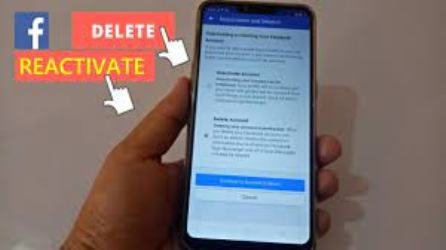
Facebook mobile version has entirely different look from the PC version, this is because of the phone size. However, you can access all Facebook features just like you can do with your PC. The features may look differently positioned, but the guides are still the same, you can locate the settings icon, by tapping on the three lines, at the upper right hand side of your screen. Once you do that, other sub menus will appear. So the same steps applies when you use your mobile phone to delete your account.
Hope this guide was helpful? Please Share with friends on Facebook, Google, Twitter.
Friedrich Stiftung Scholarships 2024 - Pursue your studies in Germany. Good news! Applications for the…
NL Scholarship 2024 - Start your study adventure in the Netherlands. Good news! NL Scholarship…
Shiraz University of Medical Sciences Scholarship 2024 - Pursue your studies in Iran. Good news!…
Edith Cowan University Scholarship 2024 - There is an opportunity for you to pursue your…
Southern Cross University Scholarships 2024 - Pursue your studies Australia. Good news! Southern Cross University…
Bond University Undergraduate Scholarship 2024 - Start your study adventure in Australia. Good news! Bond…
